Bulk Google Workspace admin, right from a spreadsheet.
List your users, groups and devices into a sheet, choose what should change, and apply it to every row at once. Nothing runs until you confirm it, and each row gets a result written back beside it.

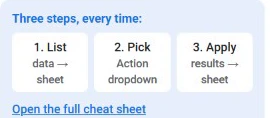
Three steps, every time.
The GW Cadet sidebar walks you through the same loop for every kind of change.
-
1
List
Pull users, groups, org units, devices, rooms, licenses or audit activity into a sheet from the GW Cadet sidebar.
-
2
Pick an action
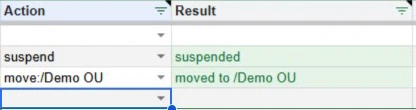
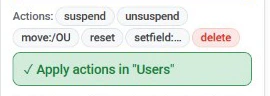
Choose a change for each row from the Action dropdown: suspend, move, reset a password, change a role, assign a license, and more.
-
3
Apply
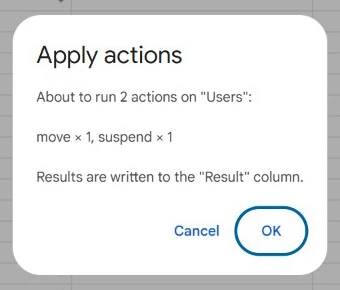
GW Cadet shows exactly what is about to happen, runs it after you confirm, and writes each row's outcome in the Result column. Changes already in place are marked as already done instead of being repeated.

Everything you touch in a normal week.
- UsersCreate in bulk from a template, suspend and restore, move between org units, reset passwords, grant or revoke admin, and edit profile fields.
- Custom user fieldsCreate your own directory fields, such as an employee or student ID, and control who can see them.
- GroupsCreate, rename and delete groups, manage members and roles, and change group settings such as who can join or post.
- Organizational unitsList, create, rename and delete org units.
- ChromeOS devicesList, disable, re-enable, deprovision and move devices.
- Calendar resourcesCreate and manage meeting rooms and equipment.
- LicensesSee who holds which Google license, then assign, change or remove licenses in bulk.
- Audit reportsPull recent sign-in and admin activity into a sheet, read-only.


Your data stays between Google and your sheet.
- GW Cadet runs entirely inside Google. It works through Google's own APIs and your spreadsheet, with no outside server.
- Your directory data is never sent to us or to anyone else, and we never sell it or use it for advertising or AI training.
- It can open only the spreadsheet it is running in, never any other file in your Drive. It can only do what your admin account is already allowed to do.
Made for the person everyone asks.
Google Workspace administrators at schools, nonprofits and businesses who manage more than a handful of accounts, and want routine changes to take minutes instead of an afternoon of clicking.
Questions, problems or feature requests: email admin@gwcadet.com.
Be first to install it
One email when GW Cadet is live on the Google Workspace Marketplace.